


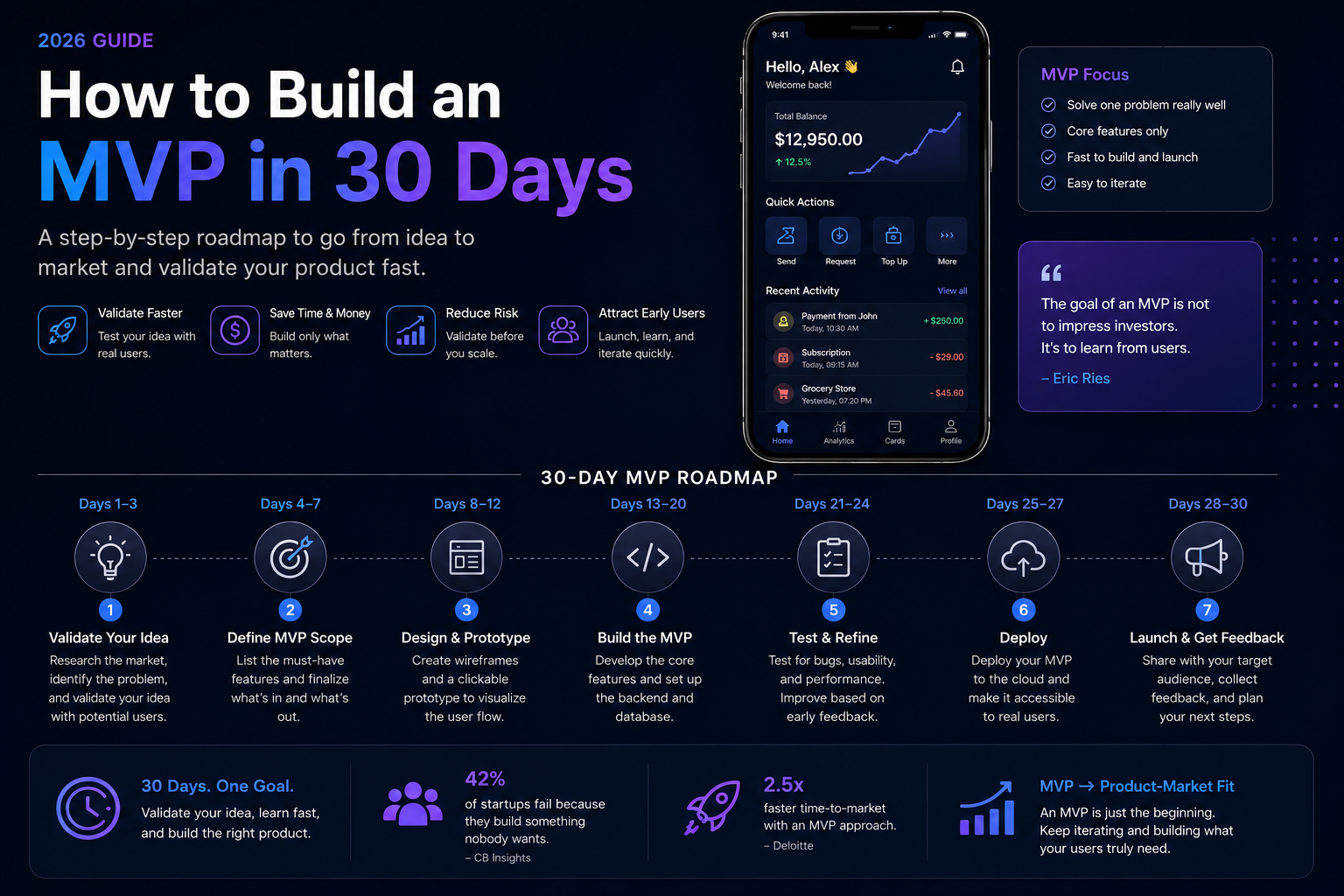
How to Build an MVP in 30 Days (2026)
Learning how to build an MVP fast within a 30-day timeline requires ruthless scope discipline, since the biggest obstacle to fast launches is almost always feature creep, not development speed itself. Founders working with our MVP development team often come in with a feature list that would realistically take several months, and the real work of a 30-day plan starts with deciding what to cut. This guide covers a practical approach to actually hitting an aggressive MVP timeline.
Week 1: Ruthless Scope Definition
The first week of a 30-day MVP sprint should be spent almost entirely on deciding what NOT to build, since scope is the single biggest lever affecting whether a 30-day timeline is realistic.
Identify Your One Core Value Proposition
Define the single core problem your MVP needs to solve for users, and be willing to cut any feature that doesn’t directly serve that one core value proposition.
Write Down Everything You’re NOT Building
Explicitly listing deferred features, not just included ones, helps keep scope discipline throughout the sprint when the temptation to add “just one more thing” inevitably arises.
Validate Your Scope With Target Users
A quick round of conversations with potential users before locking scope helps confirm you’re building the right minimal feature set, not just a minimal set of assumed features.
Week 2: Design & Technical Setup
With scope locked, the second week focuses on getting design and technical foundations in place quickly without over-investing in polish that a 30-day timeline can’t accommodate.
Use Existing Design Patterns
Rather than designing custom UI patterns from scratch, leaning on established, familiar design patterns speeds up both design and development significantly for an aggressive timeline.
Choose a Proven, Fast-to-Build Tech Stack
Select technologies your team already knows well and that have strong existing tooling, rather than using the sprint as an opportunity to learn new technology.
Set Up Infrastructure Early
Getting hosting, basic CI/CD, and core infrastructure configured early in the sprint avoids last-minute scrambling that eats into actual feature development time later.
Week 3: Focused Development Sprint
The third week is when the bulk of actual feature development happens, building only what made the final cut from week one’s scoping.
Build the Core User Flow First
Prioritize building the single core user flow completely before adding any secondary features, ensuring you have something genuinely functional even if the timeline needs to compress further.
Defer Non-Critical Polish
Visual polish, animations, and edge-case handling for unlikely scenarios can generally wait until after initial launch, once real user feedback tells you what’s actually worth polishing.
Test Continuously, Not Just at the End
Testing the core flow as it’s built, rather than saving all testing for the final days, catches problems early when there’s still time to address them within the sprint.
Week 4: Testing, Fixes & Launch Preparation
The final week shifts focus from building new features to ensuring what exists actually works reliably for real users.
Conduct Focused User Testing
Getting a small group of target users to actually try the MVP surfaces usability issues that internal testing alone often misses.
Fix Only Critical Issues
Distinguish between critical bugs that block core functionality and minor issues that can be addressed post-launch, since trying to fix everything risks missing the 30-day deadline entirely.
Prepare for Launch & Initial Feedback Collection
Set up basic analytics and feedback collection mechanisms before launch, ensuring you can actually learn from real usage once the MVP goes live.
What to Cut When Time Gets Tight
Even with disciplined planning, timelines sometimes need further compression, and knowing what to cut first helps.
Cut Secondary User Flows First
Features supporting edge cases or less common user paths should be the first candidates for removal if the timeline is at risk, preserving the core flow above all else.
FAQs
Is 30 days realistic for any MVP, or only very simple ones?
A 30-day timeline works well for genuinely minimal, focused MVPs; more complex products with significant backend integration or compliance requirements typically need a longer realistic timeline.
What’s the biggest reason MVP timelines slip?
Scope creep during development is the most common cause of timeline slippage, as teams add “just one more feature” that seemed small individually but collectively derails the schedule.
Should I skip user testing to save time in a tight sprint?
No, skipping user testing to save time often means launching something with usability issues that could have been caught and fixed before real users encountered them.
Can a 30-day MVP still include basic AI features?
Yes, if scoped narrowly using existing AI APIs rather than custom model development, basic AI features can fit within a 30-day timeline for many use cases.
What if my MVP idea genuinely can’t be built in 30 days?
If validation reveals your core idea requires more than 30 days even at minimal scope, it’s better to extend the timeline honestly than to launch something too incomplete to actually test your hypothesis.
How do I decide what’s truly essential versus nice-to-have?
Focus ruthlessly on what’s needed to test your core hypothesis about user demand; if a feature isn’t necessary to validate that core question, it can almost always wait for a later phase.